inSSIDer
by inSSIDer · Free Wi-Fi scanner for channels, signal strength and access point details
27.3 — BenchRank score out of 100
Screenshots of inSSIDer
Homepage
Overview
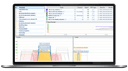
inSSIDer is a Wi-Fi scanner for Windows that lists the access points in range with their channel, channel width, signal strength, Wi-Fi generation, maximum data rate and security. It flags access point configuration issues, uses a Channels Table to show how busy each channel actually is, and scans the local network to list connected devices.
- Best for
- IT and WLAN professionals diagnosing Wi-Fi channel congestion and access point settings on Windows
- Pricing
- Free download with a free Oscium account; the optional MetaGeek Plus subscription is $200/year and includes a free trial.
- Runs on
- WebmacOSWindows
Strengths and trade-offs
Strengths
- Free download; needs only a free Oscium account
- Lists channel, width, signal, Wi-Fi generation and security
- Channels Table shows how busy each channel actually is
- Scans the local network and lists connected devices
Trade-offs
- Download is offered for Windows only
- An Oscium account must be created before use
- Cannot see non-Wi-Fi interference; needs a separate spectrum analyser
- Packet analysis requires MetaGeek Plus and supported adapters
Pricing
Published plans from inSSIDer’s own pricing page, in USD. Usage charges and add-ons may apply on top.
| Plan | Monthly | Annual (per month) | Includes |
|---|---|---|---|
| inSSIDer | — | — |
|
| MetaGeek Plus | — | $16.67 |
|
How this score is made up
Each dimension is scored out of 100 and combined into the headline score using fixed weights.
- MCP support
- 0 out of 100
- Documentation
- 0 out of 100
- Agent friendliness
- 71 out of 100
- Changelog
- 80 out of 100
- Marketing site structure
- 35 out of 100
- Operational trust
- 0 out of 100
Measured, but not part of the score
Useful to know, but not a mark for or against the product — so these do not affect the ranking.
- Openness
- 0 out of 100
This doesn’t look right — report a problem with inSSIDer’s score
Alternatives in Monitoring & Observability
Ranked 1
88.3 — BenchRank score out of 100OneUptime
OneUptime · Open-source observability and incident management on one platform
Best for: Teams wanting monitoring, on-call, status pages and observability on one open-source platform
Ranked 2
88 — BenchRank score out of 100openstatus
OpenStatus · Open source status pages with uptime monitoring from 28 regions
Best for: Teams that need a public status page and uptime checks while working towards SOC 2.
Ranked 3
81.6 — BenchRank score out of 100Sentry
Sentry · Error tracking and application performance monitoring for developers
Best for: Development teams wanting error monitoring, tracing and session replay tied to one trace